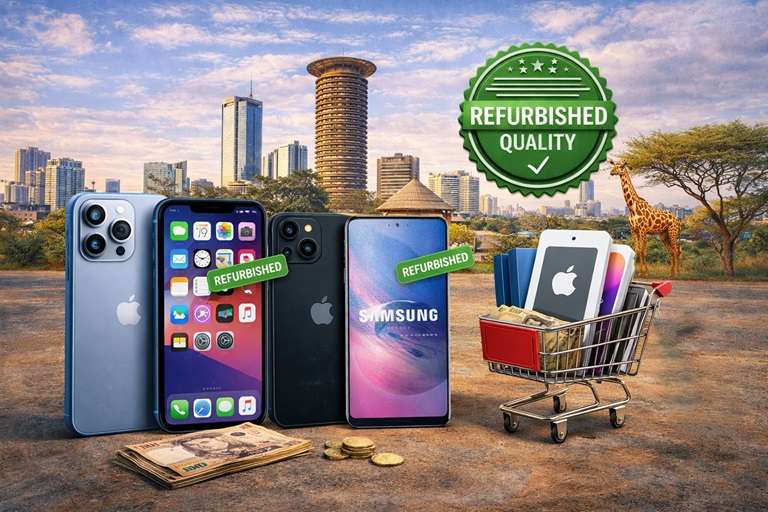
Buying refurbished phones in Kenya can be one of the smartest ways to get a capable smartphone without paying the full price of a new device. The best refurbished phones offer dependable performance, useful cameras, current apps and good battery life at a lower cost. However, value depends on more than the model name or the discount shown in an advert. Buyers need to understand the phone’s condition, testing process, warranty, software status and after-sales support. This guide explains how to compare refurbished smartphones confidently, what to test before paying and how to avoid common problems when shopping online or in a physical store.
What does a refurbished phone mean?
A refurbished phone is a previously owned or returned device that has been inspected, tested, cleaned and prepared for resale. It is different from a random used phone when the seller follows a documented quality-control process. A proper inspection should cover the display, battery, cameras, microphones, speakers, charging system, wireless connections, buttons and software. The phone should also be erased securely and removed from the previous owner’s Apple ID or Google account. Refurbished does not automatically mean perfect cosmetic condition, so the seller should provide a clear grade and explain any visible wear before purchase.
Why refurbished phones are popular in Kenya
Many Kenyan buyers choose refurbished devices because they provide access to higher-quality hardware at a practical price. Instead of buying a basic new phone, the same budget may secure a refurbished model with a better display, stronger processor, improved camera and more durable construction. Refurbished phones are useful for students, professionals, content creators, delivery teams and small businesses that need reliable mobile tools. Reuse also extends the useful life of electronics and reduces waste. The saving is worthwhile only when the device is genuine, fully functional and supported by clear warranty and return terms.
Set a realistic budget before comparing models
Begin with the total amount you can spend, including a charger, protective case, screen protector and possible delivery costs. Decide which features matter most in daily use. A person who records videos may prioritise camera stability and storage, while a field worker may care more about battery endurance, network reliability and screen brightness. Gamers need stronger processors and cooling, whereas a student may prefer long software support and affordable repairs. A defined budget keeps you from being distracted by premium features that do not improve your routine. It also makes price comparisons more accurate because you can evaluate complete ownership costs.
Choose the right model for your needs
Do not select a phone only because it was once a flagship. Check whether the processor, memory and operating system still support the applications you use. Confirm dual-SIM or eSIM requirements, 4G or 5G support, storage capacity and availability of local replacement parts. Older premium devices may have excellent cameras and displays, but batteries and specialised repairs can be expensive. A newer mid-range model may offer longer software support and better efficiency. Read the exact model number in Settings because phones with similar names can have different network bands, processors or regional features.
Understand cosmetic condition grades
Refurbished sellers commonly use grades such as excellent, very good, good or fair, but these terms are not universal. Ask the seller to define each grade. Excellent condition should have minimal signs of use, while good condition may include small scratches or light frame wear. Fair condition can provide strong value when visible marks do not affect operation. Inspect the screen under bright light and examine the frame, back, camera glass and charging port. Avoid undisclosed cracks, loose buttons, bent frames, severe dents or signs of water exposure. Honest photographs of the exact phone are more useful than a generic catalogue picture.
Check battery health and charging
Battery condition has a major effect on the value of a refurbished phone. Ask for the battery-health reading where the operating system provides one, and request a realistic description of everyday endurance. Charge the device and confirm that the percentage increases steadily without unusual heat. Move the cable gently to ensure the charging port is not loose. A battery that drops rapidly, causes random shutdowns or makes the phone unusually hot may need replacement. Ask whether the battery is original, previously replaced or covered by the warranty. Include the likely replacement cost when comparing two otherwise similar offers.
Inspect the screen and touchscreen
Open a plain white image and look for dark spots, yellow tint, lines or uneven brightness. Then use a dark background to check for bright pixels and excessive light leakage. Type across the keyboard and drag an icon around every edge to confirm that the touchscreen responds everywhere. Look for screen burn-in, flickering and accidental touches. Test automatic brightness and screen rotation. A screen protector can hide scratches, so inspect carefully before accepting the stated grade. Replacement displays vary greatly in quality; ask whether the screen has been changed and confirm that brightness, colour and touch response feel normal.
Test cameras, audio and physical controls
Take photographs with every rear lens and the front camera. Check autofocus, flash, portrait mode, zoom and video stabilisation. Record a short video while speaking, then play it through the earpiece and loudspeaker to test the microphones and speakers. Make a test call if possible. Press the power and volume buttons several times, test vibration and inspect the fingerprint reader or face-unlock system. Camera specifications do not matter if a lens is scratched or focus is unreliable. These simple checks take only a few minutes and reveal faults that may not appear during a quick visual inspection.
Confirm network and wireless connectivity
Insert a Kenyan SIM card and confirm calls, messages and mobile data. Check that the phone is unlocked and supports the frequencies used by your network. Test Wi-Fi, Bluetooth, GPS, hotspot sharing and NFC if you plan to use contactless services. Confirm that both SIM slots work on dual-SIM models. Compare the IMEI displayed by the phone with the number on the receipt or packaging and ask the seller to confirm that it is clean. Never purchase a phone with a blocked IMEI, uncertain ownership history or unexplained network restrictions, even when the price is attractive.
Verify storage, memory and software status
Open the device settings to confirm the model, storage capacity and operating-system version. The available storage will be lower than the advertised total because system files use space, but the stated capacity should match. Make sure the previous owner has signed out completely and that the phone can be factory-reset without activation locks. Check the security-patch date and research how long the model is expected to receive updates. A phone that no longer gets security support may still work, but it carries greater long-term risk. Install or open your essential apps before the return window closes.
Ask about repairs and replacement parts
A refurbished device may contain replaced components, which is not necessarily a problem when the repair was completed professionally. Ask whether the display, battery, charging port, cameras or housing have been changed. Confirm whether replacement parts are genuine, original-equipment pulls or compatible third-party parts. Test features that sometimes stop working after poor repairs, including automatic brightness, fingerprint recognition, face unlock, wireless charging and water-resistance seals. Remember that water resistance cannot be guaranteed after a device has been opened. Choose models with parts and qualified technicians readily available in Kenya.
Read the warranty and return policy
A written warranty is more valuable than a verbal promise. Confirm its duration, covered faults, exclusions and the process for reporting a problem. Ask whether battery issues, charging faults, display problems and network failures are covered. Understand who pays transport costs when an online order must be returned and how long inspection or repair may take. The invoice should identify the exact model, storage, condition, price and purchase date. Report faults immediately and keep the device, accessories and packaging in good condition. A transparent seller will explain these terms before accepting payment.
Compare prices fairly
Compare the same model, storage, condition, battery status, accessories and warranty. A phone that appears cheaper may include no charger, a weak battery, a replacement screen or no after-sales protection. Check several trustworthy listings, but do not assume the lowest price represents the best value. Include the cost of a case, screen protector, battery replacement and delivery. Be cautious when the discount is far below the normal market range or when the seller creates pressure to pay immediately. Strong value combines a fair price with verified condition, clear ownership and dependable support.
How to buy refurbished phones online safely
Verify that the seller has a working website, consistent contact information and a clear physical or business identity. Request current photos or a video of the exact handset, especially when cosmetic grade matters. Confirm the price, delivery fee, payment method, warranty and inspection procedure in writing. Avoid sending money to unfamiliar personal accounts when the business details cannot be verified. When possible, inspect the device before completing payment or use a delivery method with clear buyer protection. Keep screenshots of the listing and written promises until you are satisfied with the phone.
Buying for students, families and businesses
Students often benefit from models with strong batteries, affordable cases and several years of software support. Families may prefer consistent devices that use the same chargers and are easy to repair. Businesses should create a checklist for every handset and record the model, storage, IMEI, assigned user, warranty and purchase date. Standardising a small range of models simplifies training, accessories and maintenance. For broader technology guidance, buyers can explore Nimtech and review available devices and technology solutions from MubarakTech. Compare exact specifications and current terms before making a purchase.
Protect your data when changing phones
Before using a refurbished phone, perform a factory reset if the seller has not already done so, install the latest available updates and create your own secure screen lock. Enable device tracking and two-factor authentication for important accounts. When moving from an old phone, back up photographs, contacts and messages before erasing it. Remove SIM cards and memory cards, sign out of cloud accounts and confirm that the old device no longer appears in your trusted-device list. Good data hygiene protects both the previous owner and the new buyer from account access or privacy problems.
Final inspection checklist
Before paying, confirm the exact model, storage and colour; inspect the screen and frame; test the battery, charging port, cameras, microphones, speakers, buttons, biometric security, Wi-Fi, Bluetooth, GPS and mobile network. Verify the IMEI and account-lock status. Read the invoice, warranty and return policy. Check all included accessories and keep a record of the device’s condition on delivery. Repeat the important tests during the first few days of ownership. If anything differs from the listing, contact the seller immediately rather than waiting until the return period has expired.
Frequently asked questions
Are refurbished phones reliable?
They can be reliable when they are tested carefully, graded honestly and sold with a meaningful warranty. Reliability depends on the individual device and refurbishment process, not merely the label.
Is a refurbished phone the same as a used phone?
Not always. A used phone may be resold without professional testing, while a properly refurbished device should undergo inspection, cleaning, secure resetting and quality checks before resale.
Which battery health is acceptable?
Higher is better, but the appropriate level depends on price, model and warranty. Ask for the reported health, test real-world endurance and include replacement cost in your decision.
Can I return a refurbished phone?
Return rights depend on the seller’s written terms. Read the return window, eligible faults, condition requirements and transport responsibilities before paying.
Conclusion
The safest way to buy refurbished phones in Kenya is to combine careful research with hands-on testing and written after-sales protection. Choose a model that fits your real needs, confirm every advertised specification and inspect the exact device rather than relying on generic photographs. Battery health, screen quality, account-lock status, IMEI history, network compatibility and warranty terms matter as much as the brand name. A transparent seller will welcome reasonable questions and provide clear documentation. With these checks completed, a refurbished smartphone can deliver excellent performance, lower ownership costs and dependable everyday service.