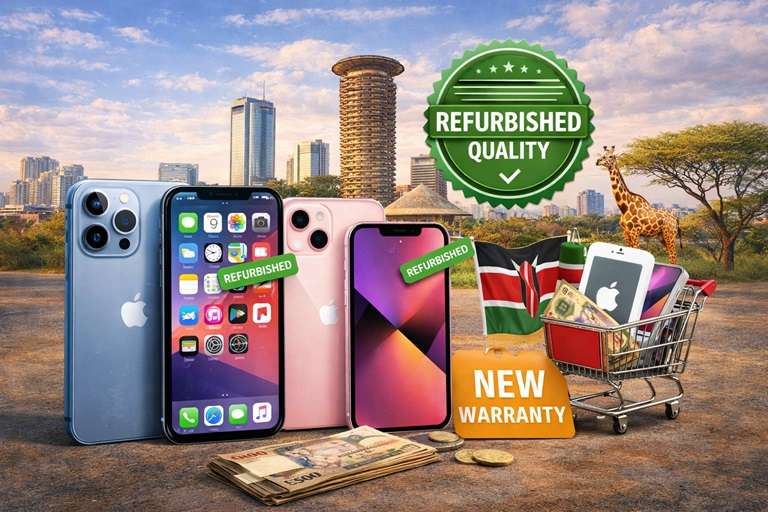
Searching for a refurbished iPhone Kenya buyers can trust is a practical way to own an Apple phone without paying the full cost of a new device. The opportunity is attractive, but the quality of refurbished phones varies. Two phones with the same model name and storage can differ in battery condition, repair history, display quality, network status and warranty. That is why the best purchase is not automatically the cheapest listing. It is the phone whose condition, testing process and after-sales support are clear before you pay.
This article explains how to compare refurbished iPhones in Kenya, which models offer the strongest everyday value, how to check battery health and genuine parts, what warranty questions to ask and how to avoid common buying mistakes. Use it as a practical checklist whether you shop online, visit a Nairobi store or compare offers from several Kenyan sellers.
What does a refurbished iPhone mean?
A refurbished iPhone is a previously owned device that has been inspected, cleaned, tested and prepared for resale. Some devices only need cosmetic cleaning and software resetting. Others may need a replacement battery, screen, charging port, camera or another component. The word refurbished describes a process, not one fixed quality level. A responsible seller should explain what was tested, what was replaced and what guarantee supports the phone.
Refurbished is different from simply used. A used phone may be sold exactly as the previous owner left it, with no documented testing or warranty. A properly prepared device should be checked for calling, mobile data, Wi-Fi, Bluetooth, cameras, microphones, speakers, charging, buttons, sensors, Face ID or Touch ID and account locks. When comparing any refurbished iPhone Kenya offer, ask for the test standard rather than relying only on the label.
Why Kenyans choose refurbished iPhones
The biggest advantage is value. A buyer can often choose a better camera, faster processor, stronger design and longer software support for the same budget that would buy a basic new phone. Apple devices also tend to receive iOS updates for several years, which can keep an older model useful when its hardware remains in good condition.
There are environmental benefits too. Extending the useful life of a working device reduces electronic waste and makes better use of the materials and energy already invested in manufacturing it. However, value depends on condition. A low price loses its appeal if the battery needs immediate replacement, the display is poor quality or the phone is locked to an account or foreign carrier.
Which refurbished iPhone models offer the best value?
The best model depends on budget, preferred size, camera expectations and how long you plan to keep the phone. Avoid choosing only by the number in the model name. A slightly older model in excellent condition can be safer than a newer one with weak battery health or unknown repairs.
iPhone 11 series
The iPhone 11 remains useful for calls, social media, navigation, streaming, banking apps and everyday photography. It has a comfortable screen size and a familiar dual-camera system. Buyers should pay close attention to battery health and display quality because many units have been used for several years. The iPhone 11 Pro and Pro Max add an OLED display and telephoto camera, but replacement display quality can vary, so test brightness, colour, touch response and True Tone.
iPhone 12 series
The iPhone 12 family introduced 5G, a sharper-edged design and OLED displays across the range. It is a strong middle choice for buyers who want modern performance without paying for the newest generation. Check for green tint, touch issues, battery wear and signs of screen replacement. The compact iPhone 12 mini is easy to carry, but its small battery means condition matters even more.
iPhone 13 series
For many shoppers, the iPhone 13 offers one of the best balances of speed, camera quality, battery life and expected software support. The standard model suits most people, while the 13 Pro models add a higher-refresh-rate display and extra camera features. They normally cost more, so compare actual condition and warranty instead of assuming every iPhone 13 listing provides equal value.
iPhone 14 and newer models
Newer refurbished models may suit buyers who want longer future support, stronger cameras or specific safety and connectivity features. Their higher price makes documentation especially important. Confirm the exact regional model, SIM arrangement and repair history. Some imported versions may use eSIM differently from the configurations many Kenyan buyers expect.
How to compare refurbished iPhone prices in Kenya
There is no single correct price for every unit because storage, cosmetic grade, battery health, included accessories and warranty all affect value. Start by comparing the exact same model and storage capacity. An iPhone 13 128GB should not be compared directly with a 256GB unit, and a phone with a fresh quality battery should not be valued exactly like one approaching service condition.
Ask what the advertised amount includes. Confirm whether you receive a charging cable, adapter, screen protector, case, receipt and written warranty. Delivery fees and return conditions can also change the true cost. When researching a refurbished iPhone Kenya listing, keep a comparison sheet with model, storage, battery health, cosmetic grade, warranty length and final delivered price.
For broader Kenyan electronics comparisons, review current technology listings from Nimtech and product information from Mubaraktech. Buyers comparing marketplace selections can also explore Mubaraktech Store, while TAS Kenya provides another local website to consult. Always confirm the exact condition and warranty directly with the seller responsible for the device.
Check battery health before paying
Battery condition directly affects daily use. On supported iPhones, open Settings, choose Battery, then Battery Health & Charging. Maximum Capacity is a useful indicator, but it is not the only test. Watch how quickly the percentage drops during camera use, video playback and mobile data. Confirm that the phone charges normally and does not become unusually hot.
A battery below 80 percent maximum capacity is generally considered significantly worn and may need service soon. A higher percentage is preferable, but ask whether the battery is original or replaced. If iOS displays an important battery message or cannot verify the part, ask what work was done and who performed it. A replaced battery is not automatically bad; unclear repair history and poor-quality parts are the larger risks.
Confirm the display, cameras and biometric security
The display is one of the most expensive parts of an iPhone. Test the entire screen by dragging an icon around every edge, typing across the keyboard and viewing solid white, black, red, green and blue backgrounds. Look for dead pixels, dark patches, ghost touches, burn-in, uneven brightness or a colour tone that changes strangely. Check whether True Tone is available, although its absence alone does not prove the screen is poor because repair configuration can affect it.
Open both front and rear cameras. Test standard photos, portrait mode, video, flash, focus, zoom levels and stabilisation. Record a short video while speaking, then play it back to assess microphones and speakers. Test Face ID several times from different angles, or Touch ID on supported models. Biometric security that does not work can be difficult or expensive to restore and should be disclosed before purchase.
Verify the IMEI, iCloud status and network access
Before buying, confirm that the iPhone has been erased and is not protected by another person’s Activation Lock. The setup process should allow a new owner to activate the device with their own Apple ID. Never accept a promise that an account lock will be removed later. If the previous owner is present, the device should be removed from their account before payment.
Compare the IMEI shown in Settings with any number printed on the receipt or packaging. Ask the seller to confirm that the phone is not reported lost, stolen or blocked and that it is not tied to an unpaid finance agreement. Insert a Kenyan SIM card and test a call, SMS and mobile data. A refurbished iPhone Kenya purchase should work with the networks and SIM setup you plan to use, not merely connect to Wi-Fi in the shop.
Inspect the body, ports and water-damage clues
Minor scratches may be acceptable when they match the advertised cosmetic grade, but structural damage deserves more attention. Inspect the frame for bending, separation between the screen and body, deep dents around corners and gaps that suggest poor reassembly. Test every physical button, the silent switch or Action button, vibration, charging port and speaker grilles.
Ask whether the phone has had water damage. Water resistance decreases with age, impact and repairs, so a refurbished phone should never be treated as newly waterproof. Fog inside a camera lens, corrosion around the charging port, unreliable Face ID or random restarts can be warning signs. Do not perform an improvised water test because it can damage the phone and invalidate the warranty.
Understand cosmetic grades
Sellers commonly use terms such as Grade A, excellent, very good or good. These labels are not universal standards. One seller’s Grade A may have more wear than another seller’s equivalent. Ask for actual photographs of the specific unit when ordering online, including the screen, back, frame and camera area. Confirm whether marks visible in photographs are included in the agreed condition.
Cosmetic wear does not necessarily reduce performance, so buyers on a strict budget may get better value by accepting visible scratches in exchange for strong battery health and a reliable warranty. Prioritise functionality, repair quality and support over a perfectly polished body.
Ask for a clear warranty and return policy
A warranty is useful only when its coverage and process are clear. Ask how long it lasts, which faults are covered, which problems are excluded, where the phone must be returned and who pays delivery costs. Find out whether an approved claim leads to repair, replacement or refund. Keep the receipt, warranty document, serial details and written description of the phone’s condition.
Many warranties exclude accidental drops, cracked screens, liquid damage and unauthorised repairs. That can be reasonable when disclosed in advance. Be cautious when a seller uses the word warranty but cannot explain the claim process. For any refurbished iPhone Kenya order delivered by courier, confirm how quickly you must report a problem after receiving it and whether you may test the device before final acceptance.
Storage capacity and long-term usefulness
Choose storage based on how you use the phone. A lighter user who streams media and keeps photos in the cloud may manage with a smaller capacity. Someone who records lots of video, installs large games or keeps offline files may need 128GB, 256GB or more. iPhone storage cannot be expanded later with a memory card, so buying too little can become frustrating.
Also consider future iOS support. A phone that receives security and app updates for longer can provide better long-term value. This does not mean the newest model is always necessary. Balance expected years of use against price, condition and repair risk. If your budget forces a choice, a dependable model with adequate storage and battery health is usually better than a newer device with uncertain history.
Online buying checklist
- Request real photos or a clear video of the exact phone.
- Confirm model number, storage, colour and cosmetic grade in writing.
- Ask for the current battery maximum capacity and any battery warning.
- Confirm whether the screen, battery, cameras or back glass were replaced.
- Check warranty length, exclusions, return period and delivery charges.
- Use a payment method and delivery arrangement that provide a traceable record.
- Test activation, network, cameras, charging and Face ID immediately after arrival.
- Save the listing, receipt and seller conversation until the warranty ends.
A trustworthy seller should answer reasonable questions without rushing you. High-pressure messages, prices far below comparable offers, stock photos presented as the actual phone and requests for untraceable payment are warning signs. Pause the purchase when important details keep changing.
Store inspection checklist
When visiting a physical shop, allow enough time for a complete test. Begin with the device information in Settings, then check battery health, display, cameras, microphones, speakers, Wi-Fi, Bluetooth and mobile network. Plug in a charger, make a short call and confirm all buttons. Restart the phone to see whether it boots normally.
Ask staff to write the model, storage, IMEI or serial reference, condition and warranty on the receipt. Do not rely on a verbal promise that another employee may not recognise later. If the phone needs an Apple ID during testing, use your own only after you are satisfied that the device is fully erased and ready for transfer.
Common mistakes to avoid
The first mistake is shopping by price alone. Extremely cheap offers may hide weak batteries, poor screens, blocked devices or no practical support. The second is failing to verify storage and model details. Similar-looking iPhones can have different cameras, network capabilities and values. The third is checking battery percentage but not battery health; a phone charged to 100 percent can still have a badly worn battery.
Other mistakes include ignoring return terms, accepting an iCloud-locked phone, assuming every replacement part is original and paying before testing the mobile network. Buyers should also avoid treating a high cosmetic grade as proof of internal quality. A polished exterior cannot confirm the condition of the logic board, cameras or battery.
Questions to ask the seller
- What exact model, storage capacity and regional version is this?
- What is the battery maximum capacity, and has the battery been replaced?
- Which parts have been repaired or replaced?
- Does Face ID or Touch ID work correctly?
- Is the phone unlocked for Kenyan mobile networks?
- Has it been checked for iCloud lock, loss reports and finance restrictions?
- What does the warranty cover, and how is a claim handled?
- Can I test the exact unit before completing payment?
Clear answers make comparison easier and reduce misunderstandings. If a seller refuses to answer basic condition questions, consider a different option even when the price looks attractive.
Final decision: is a refurbished iPhone worth it?
A refurbished iPhone can be an excellent purchase when the device has been properly tested, its condition is honestly described and the seller provides meaningful after-sales support. The strongest value usually comes from balancing model age, storage, battery health, repair history and warranty rather than chasing the lowest advertised amount.
For your final refurbished iPhone Kenya comparison, shortlist two or three exact units and apply the same checklist to each one. Verify the account status, IMEI, network, display, cameras, battery and warranty. Keep written records and give yourself time to test. A careful twenty-minute inspection can prevent months of frustration and help you choose a phone that remains useful long after the excitement of the purchase has passed.